What's New
A steady stream of improvements — new features, OS support, and bug fixes.
Download the latest version · See all features · Compare editions
New · Beta · pre-release 1.0.4.25
The new web interface
A tour of what changes in the web client. It plays by itself; hover to pause, or use the tabs.
A new web interface
Cleaner, lighter and easier to read. The same tools and workflows, with a new look on every page.
- Chosen per user: the classic theme is still there
- Around 245 new line icons
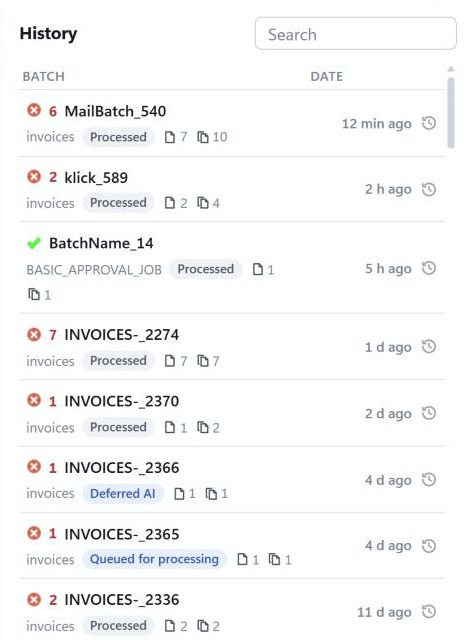
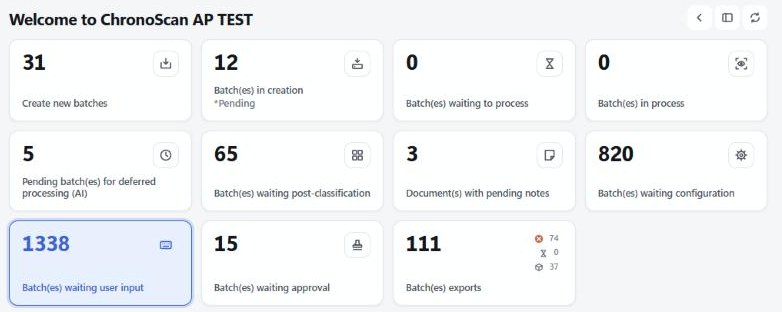 Trays with live counters
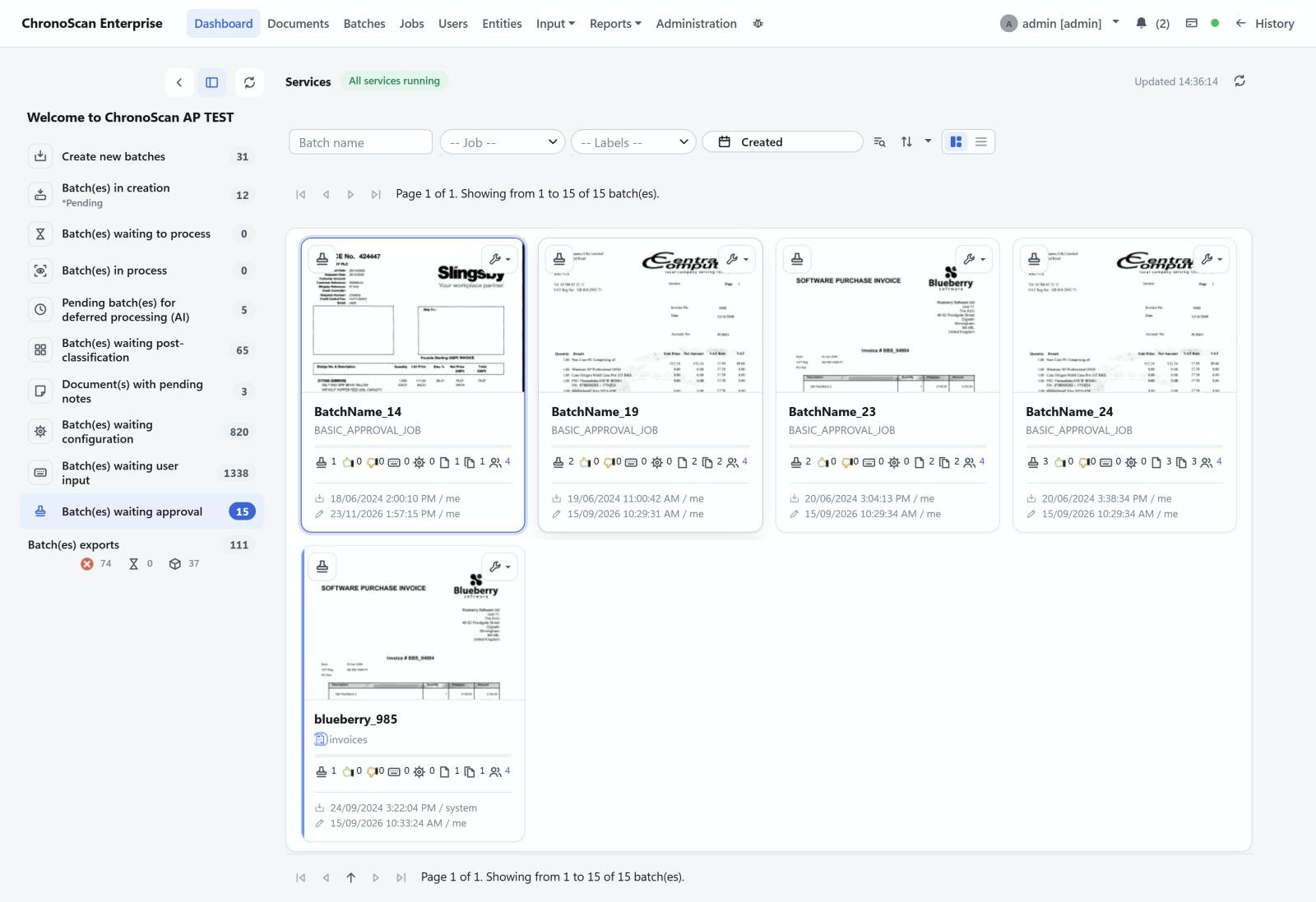
Batches as cards or as a list
Every batch shows its first page, its status and its counters.
- A compact list is one click away
- Trays on the left or on top
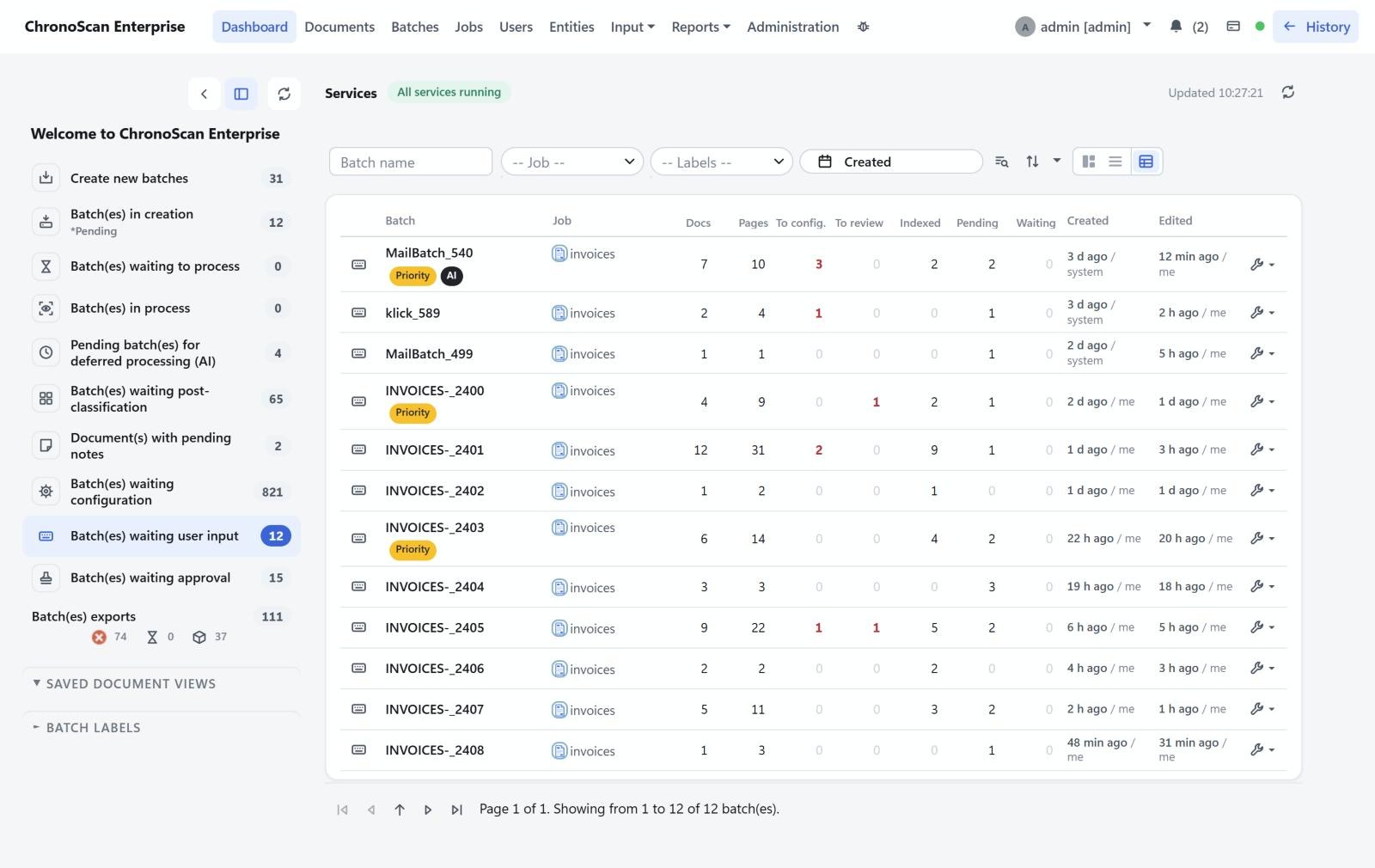
A table view for your trays
One batch per line: documents, pages, what is waiting for review, and when it was created and edited.
- Click a header to sort
- Cards, list and table share one switch
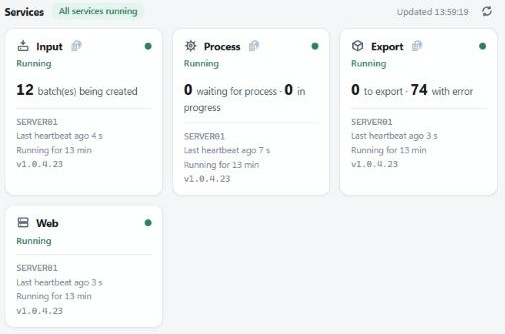
Service status at a glance
Input, processing, export and web in one panel. Each card opens the diagnosis page of its service.
- Green when everything is running
 Live status
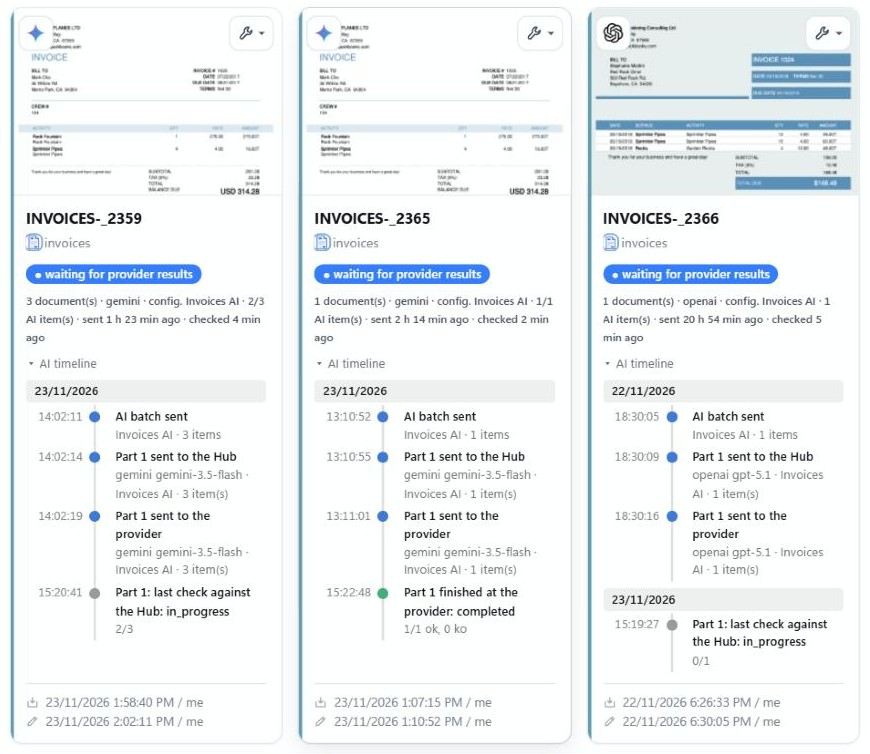
Follow your deferred AI batches
Batches sent to AI in deferred mode have their own tray, with the provider and the progress of each one.
- A timeline of every step
- Results are applied on their own

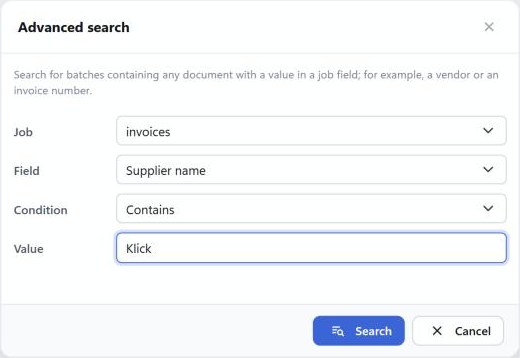
Find batches by what is inside
Search the batches of a job by the value of any field: a supplier, an invoice number, a date.
- Each batch says what matched, and where
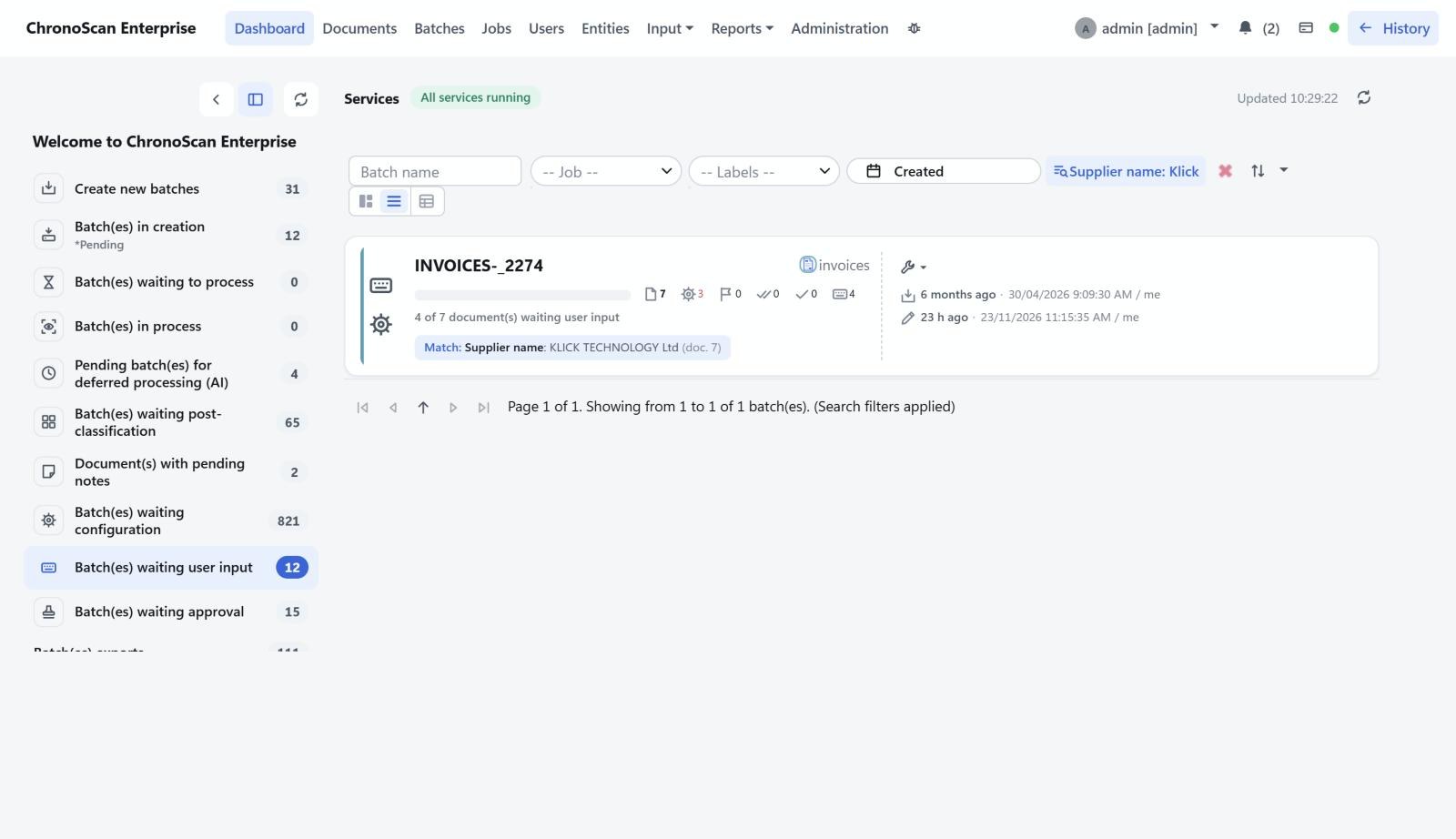 Why it is listed
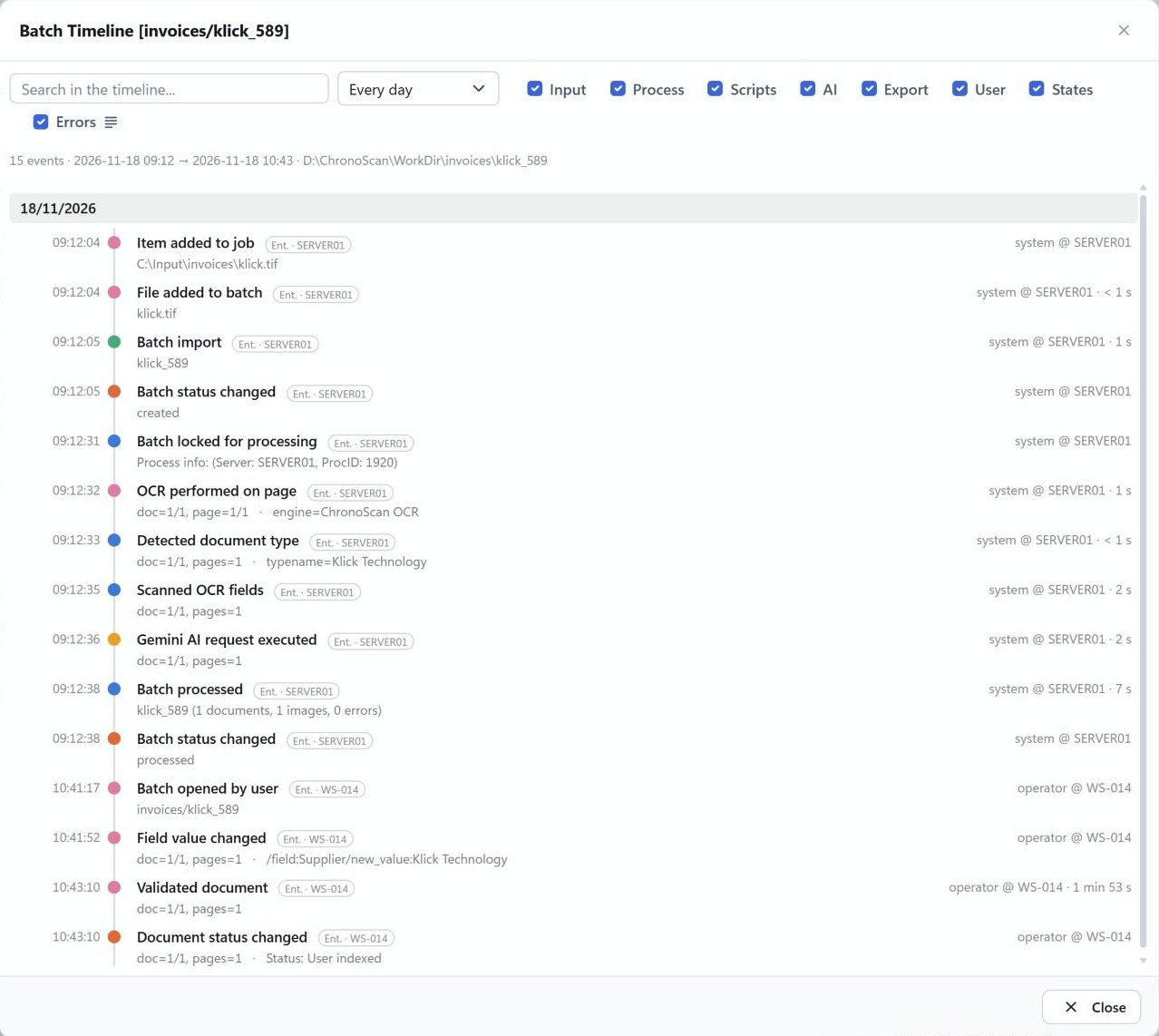
What happened to this batch
Every step of a batch in plain words, from import to validation: who did it, where, and how long it took.
- Filter by step, user or errors
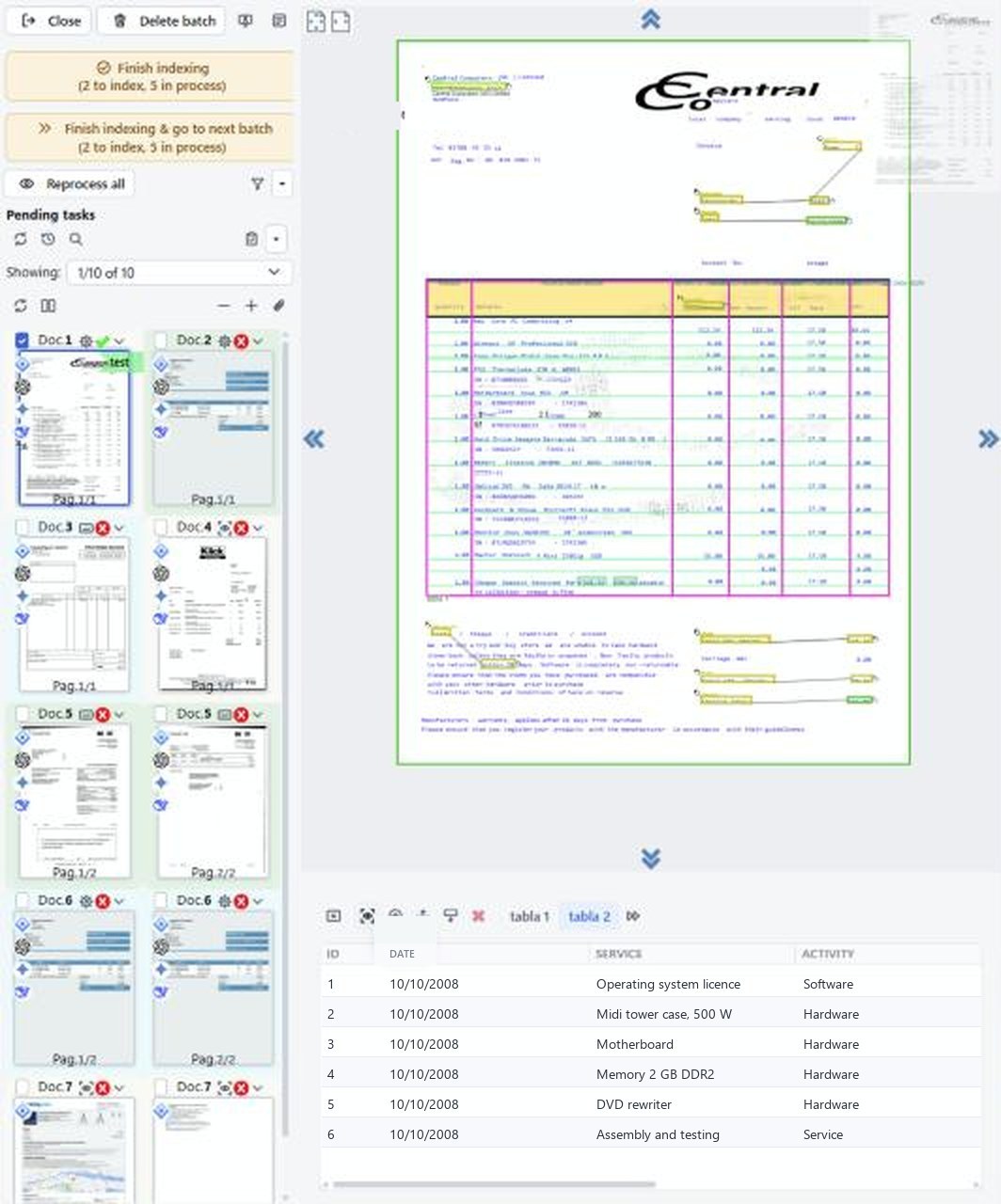
Everything in its place
The document, its fields and the line table, together on one tidy screen.
- Line icons and a grouped toolbar
- Green when the batch is ready

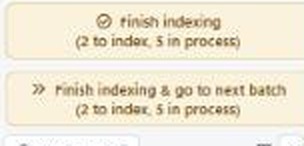
Fewer, larger buttons for operators
Close, finish, or finish and go to the next batch. The document takes the center of the screen.
- The finish buttons say what is still pending
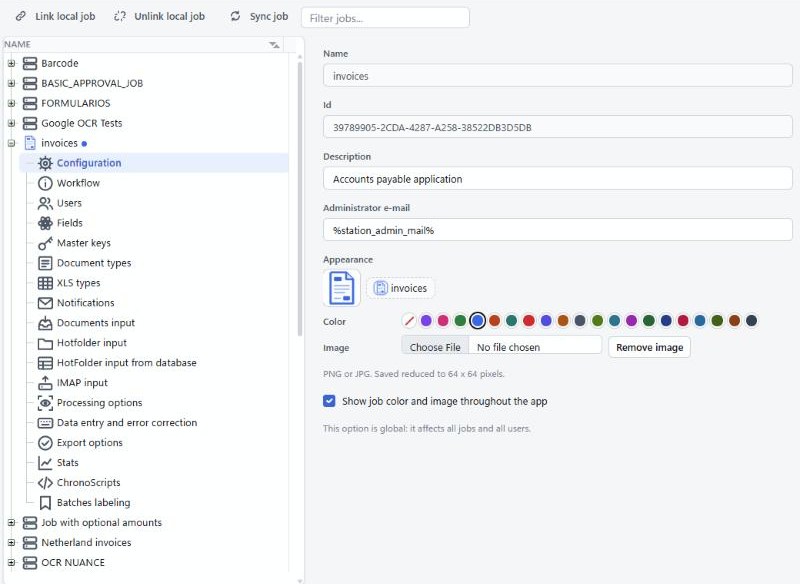
A color and an image for each job
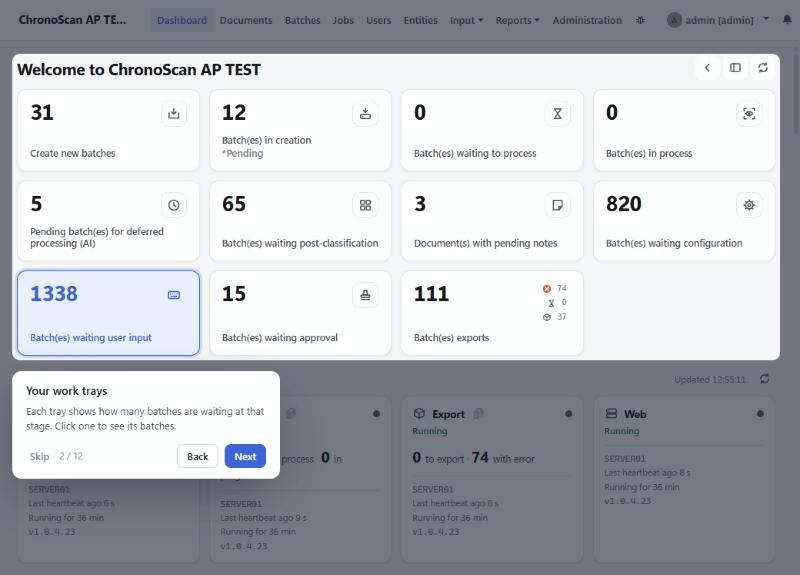
Jobs and users get their own color, and it follows the name across the dashboard, the tables and the reports.
- Jobs: switched on by an administrator
- Users: soft-colored chips
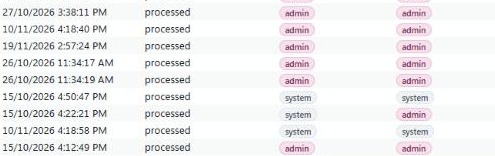
A guided tour, and clearer messages
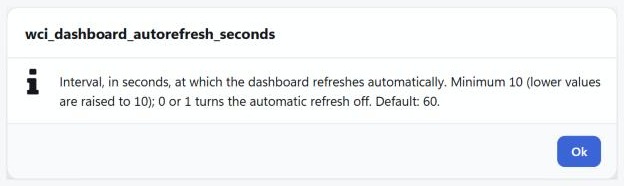
A short tour shows each user what is new, and every system parameter explains itself.
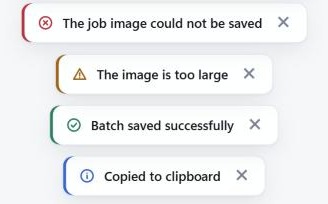
- Notifications show their type at a glance
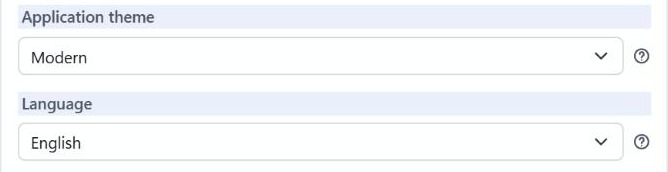
Your theme, your language
Each user picks a theme and a language from the user menu, and can go back to the classic interface at any time.
ChronoScan Release Notes v.1.0.3.84Latest
March 24, 2026
Requires maintenance through 2025-03-24
 New function MFilesGetSearchResults >> Returns the results of a configured MFiles search in an array
New function GetMFilesServerApplication >> Returns a MFilesServerApplication object
 Google GeminiAI integration
- gemini-1.5-flash
- gemini-2.0-flash
- gemini-2.0-flash-lite
- gemini-2.5-flash
- gemini-2.5-flash-lite
- gemini-2.5-flash-lite
- gemini-flash-lite-latest
- gemini-3.0-pro-preview
 New gpt models
- gpt-4.1
- gpt-4.1-mini
- gpt-5
- gpt-5-mini
- gpt-5.1
- gpt-5.2
- gpt-5.4
- gpt-4_turbo (Azure Switzerland North regional data center)
- gpt-4.1 (Azure Switzerland North regional data center)
- gpt-4o (Azure Switzerland North regional data center)
- gpt-4.1-mini (Azure Canada East regional data center)
- gpt-5-mini (Azure EastUS2 data residency standard)
 DeepSeek API integrated
- DeepSeek chat model request v3.2
- DeepSeek reasoner model request v3.2
 Addedd support for vision models with Ollama configurations
New AI trigger crop functionality. Request on a specific cut of image instead of whole image
Assisted AI xGrids/lineItems tables creation
Added thinking and thinking_budget option (gemini)
Added retry delay to the AI integrations (gemini and gpt)
Added global prompting to the AI integrations (Ollama, gpt and gemini)
Added 'reasoning_effort' param for o-series and gpt-5* models
AI-auto generated json on json prompts
New AI fields assistant (desktop and web)
New text renderer (v2)
Added chunked requests to chatgpt (experimental)
Added automap fields, reset and clear mappings when configuring new AI models
New improve prompt function and prompt preview for gpt and gemini
Added the possibility to use a user field as a variable for the param context_size/ max_tokens (ollama/ gpt and gemini)
Added the possibility to use a user field as a variable for the param pageConfig (ollama, gpt and gemini)
ChronoScan Release Notes v.1.0.3.26
July 31, 2024
Requires maintenance through 2023-07-31
New option for re-doing OCR also on ignored items
Dall-e AI image generator output
New event: OnBatchClose
New event: OnENT_ValidateDocument
New events: OnExtractBegins and OnExtractEnds
New processing options after export:
- Delete ignored documents
- Delete ignored documents if only ignored documents remain in the batch
New ChronoApp methods
New ChronoJob methods
New ChronoBatch methods
New ChronoDocument methods
Added a delimiter variable to the grid export for M-Files value lists as currently available for fields
Import module for allowing to import M-FILES objects
New import module from M-files
Quick start (.docx)
OpenAI/ ChatGPT generative models integrated to ChronoScan:
- Capability to process batches with ChatGPT
- Models & prompts configuration
- Different ChatGPT models available
- Capability for fine-tuning ChatGPT models with ChronoScan applications
 Implementation for Azure OpenAI Service
- How to use it
 Meta/Llama2 generative AI model
- Free generative AI processing
Ollama server integration for running LLMs locally
- On premise AI generation
- Open source models such as Mistral, llama3, Gemma2 and more
 Google Document AI for invoices integration
- Straightforward invoice processing
- No template configuration needed
- No OCR needed
ChronoScan Release Notes v.1.0.3.01
May 25, 2023
Requires maintenance through 2022-05-25
Added a retry export for M-Files when network errors occur or it can't connect to server
M-Files output; new connetion option "EncriptedConnection"
M-Files output, allow to export XGrid lines
ChronoScan Release Notes v.1.0.2.73
April 21, 2022
Requires maintenance through 2021.04.21
ChronoScan Release Notes v.1.0.2.62
July 7, 2021
Requires maintenance through 2020.07.07
ChronoScan Release Notes v.1.0.2.37
April 27, 2020
Requires maintenance through 2019.04.27
ChronoScan Release Notes v.1.0.2.18
February 11, 2019
Requires maintenance through 2018.02.11
ChronoScan Release Notes v.1.0.2.15
January 31, 2019
Requires maintenance through 2018.01.31
ChronoScan Release Notes v.1.0.1.85
December 15, 2017
Requires maintenance through 2016.12.15
ChronoScan Release Notes v.1.0.1.83
October 2, 2017
Requires maintenance through 2016.10.02
Nuance OCR plugin Release Notes v.1.0.0.24
September 8, 2017
Requires maintenance through 2016.09.08
ChronoScan Release Notes v.1.0.1.81
September 7, 2017
Requires maintenance through 2016.09.07
ChronoScan Release Notes v.1.0.1.74
March 13, 2017
Requires maintenance through 2016.03.13
ChronoScan Release Notes v.1.0.1.56
July 22, 2016
Requires maintenance through 2016.07.22
ChronoScan Release Notes v.1.0.1.54
July 12, 2016
Requires maintenance through 2016.07.12
ChronoScan Release Notes v.1.0.1.35
November 17, 2015
Requires maintenance through 2014.09.11
ChronoScan Release Notes v.1.0.1.24
July 23, 2015
Requires maintenance through 2014.07.23
ChronoScan Release Notes v.1.0.1.12
April 27, 2015
Requires maintenance through 2014.04.27
ChronoScan Release Notes v.1.0.1.8
March 23, 2015
ChronoScan Release Notes v.1.0.1.5
March 17, 2015
ChronoScan Release Notes v.1.0.1.2
March 9, 2015
ChronoScan Release Notes v.1.0.0.98
January 28, 2015
ChronoScan Release Notes v.1.0.0.89
November 7, 2014
ChronoScan Release Notes v.1.0.0.81
September 19, 2014
ChronoScan Release Notes v.1.0.0.71
May 14, 2014
ChronoScan Release Notes v.1.0.0.65
February 17, 2014
ChronoScan Release Notes v.1.0.0.60
January 16, 2014
ChronoScan Release Notes v.1.0.0.58
December 26, 2013
ChronoScan Release Notes v.1.0.0.54
November 26, 2013