ChronoScan Enterprise

Software aziendale di OCR e scansione documenti per l'elaborazione multiutente ad alto volume su un'infrastruttura client/server scalabile.

La nuova interfaccia web

Un tour di ciò che cambia nel client web. Scorre da solo; passa il mouse per metterlo in pausa o usa le schede.

Beta. La nuova interfaccia è disponibile nella versione preliminare 1.0.4.25; la versione ufficiale attuale è la 1.0.3.84. Per provarla, richiedi la versione preliminare al nostro supporto: support@chronoscan.org
Pre-release 1.0.4.25 · Beta

A new web interface

Cleaner, lighter and easier to read. The same tools and workflows, with a new look on every page.

  • Chosen per user: the classic theme is still there
  • Around 245 new line icons
ChronoScan Enterprise
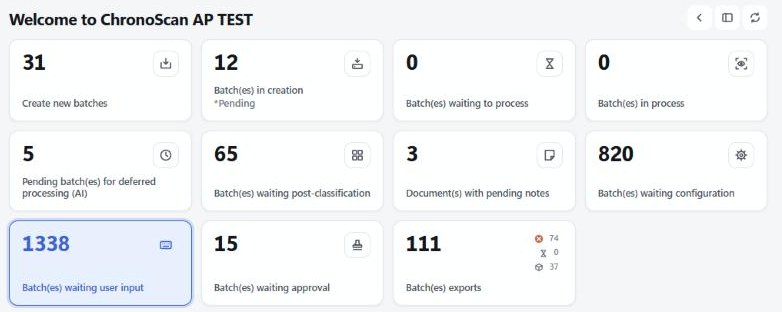
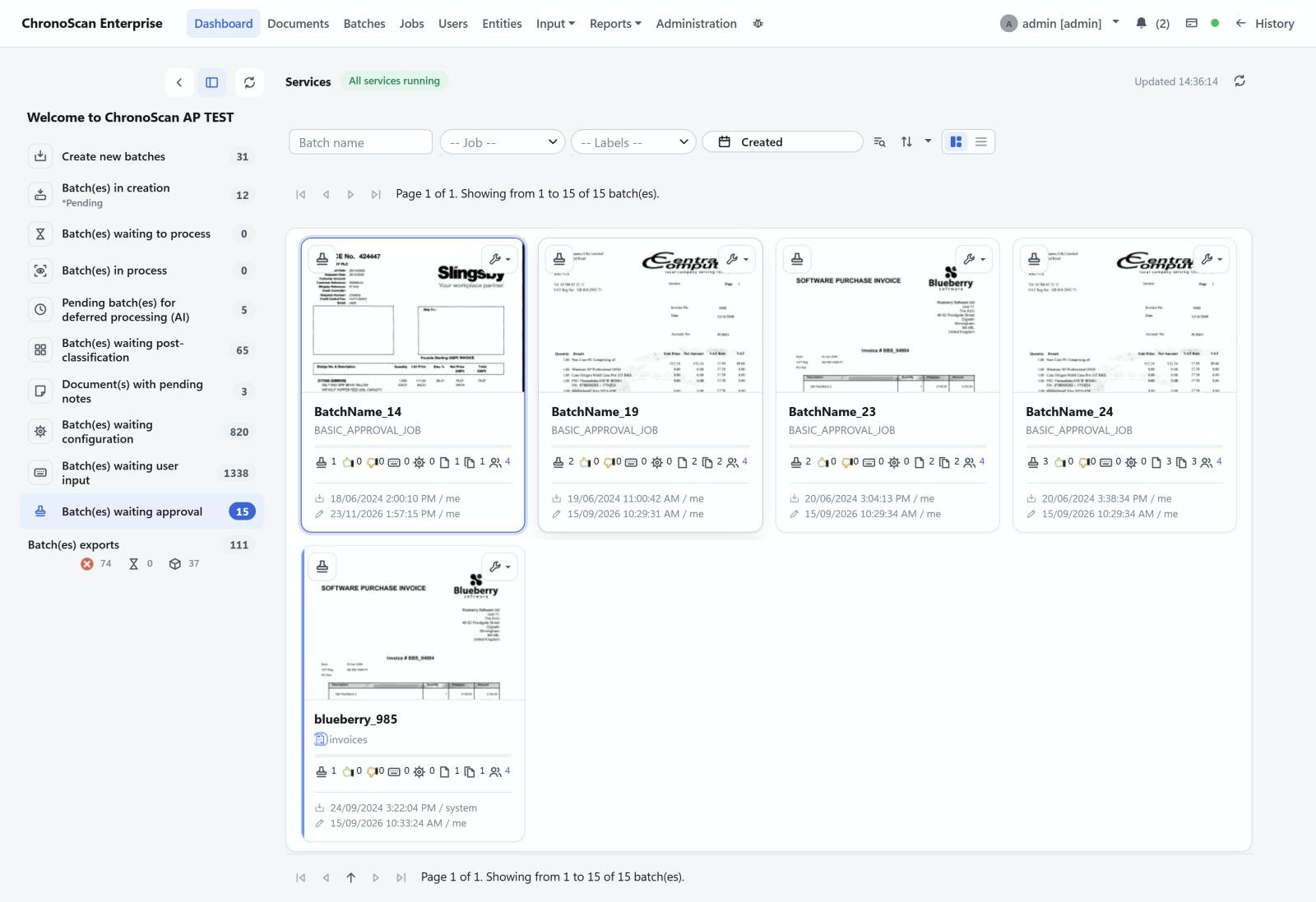
A new web interface Trays with live counters
Dashboard

Batches as cards or as a list

Every batch shows its first page, its status and its counters.

  • A compact list is one click away
  • Trays on the left or on top
ChronoScan Enterprise
Batches as cards or as a list
New · Dashboard

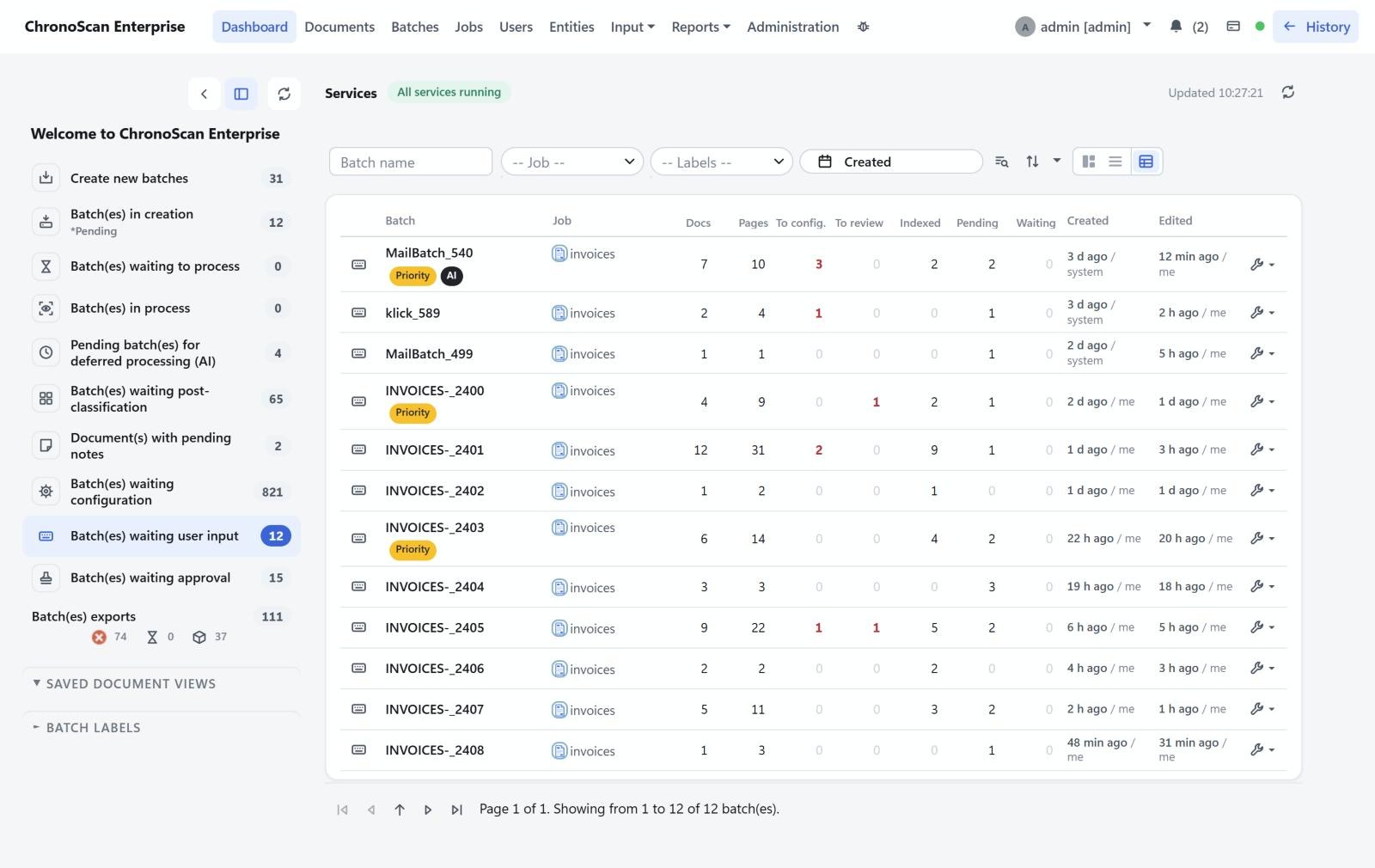
A table view for your trays

One batch per line: documents, pages, what is waiting for review, and when it was created and edited.

  • Click a header to sort
  • Cards, list and table share one switch
ChronoScan Enterprise
A table view for your trays
Dashboard

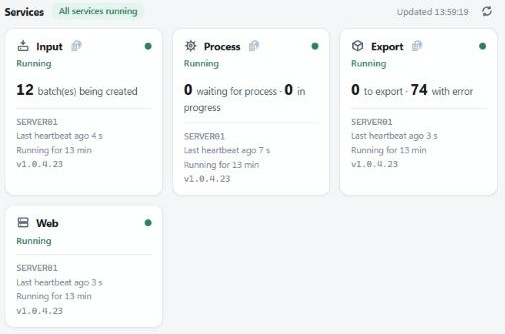
Service status at a glance

Input, processing, export and web in one panel. Each card opens the diagnosis page of its service.

  • Green when everything is running
ChronoScan Enterprise
Service status at a glance Live status
New · Dashboard

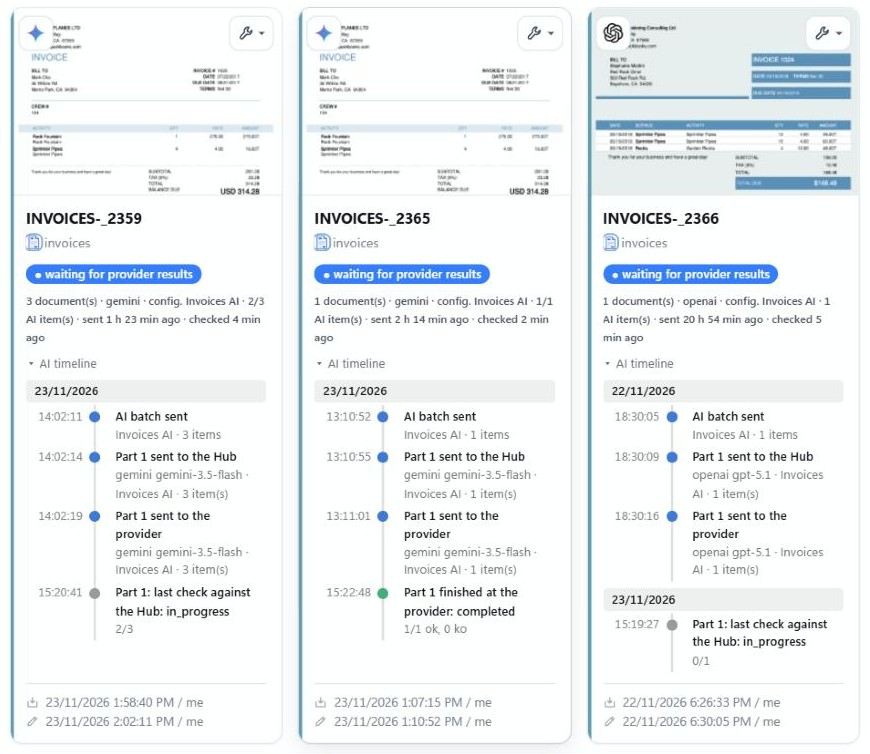
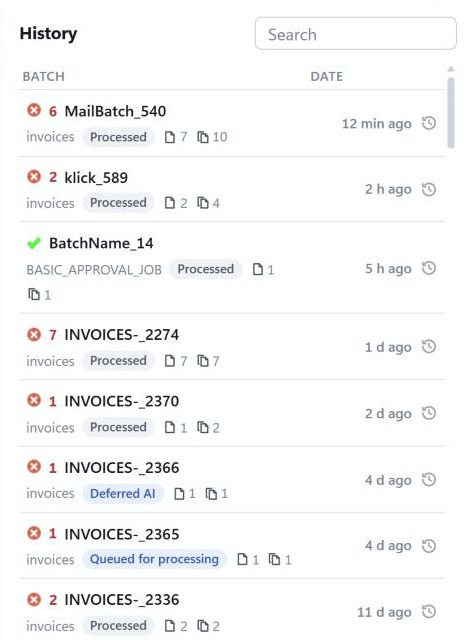
Follow your deferred AI batches

Batches sent to AI in deferred mode have their own tray, with the provider and the progress of each one.

  • A timeline of every step
  • Results are applied on their own
ChronoScan Enterprise
Follow your deferred AI batches
Its own tray
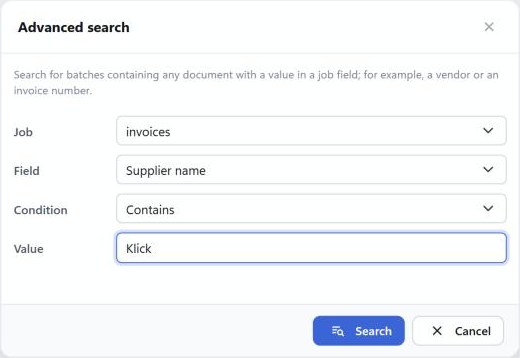
Advanced search

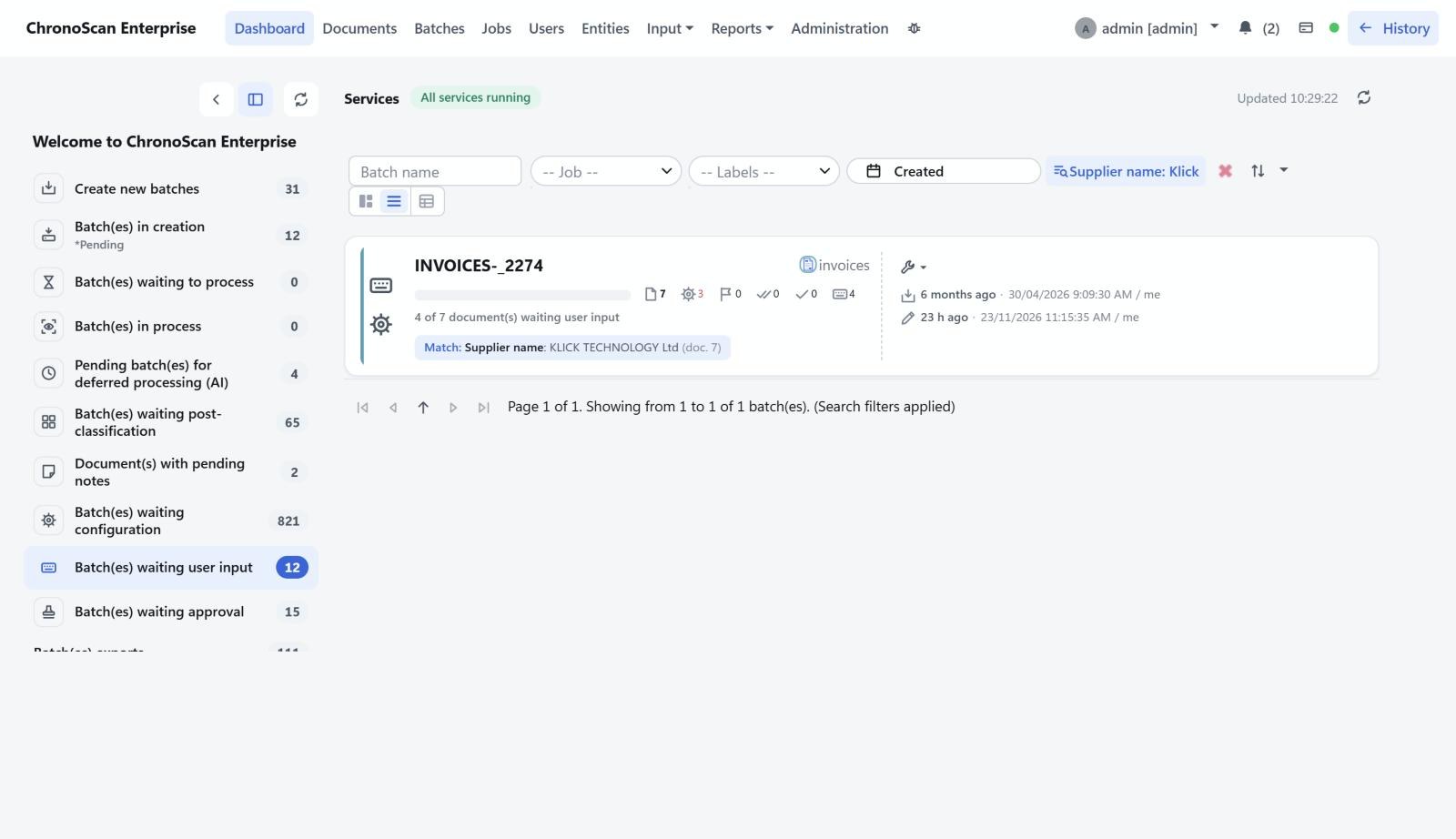
Find batches by what is inside

Search the batches of a job by the value of any field: a supplier, an invoice number, a date.

  • Each batch says what matched, and where
ChronoScan Enterprise
Find batches by what is inside Why it is listed
New · History panel

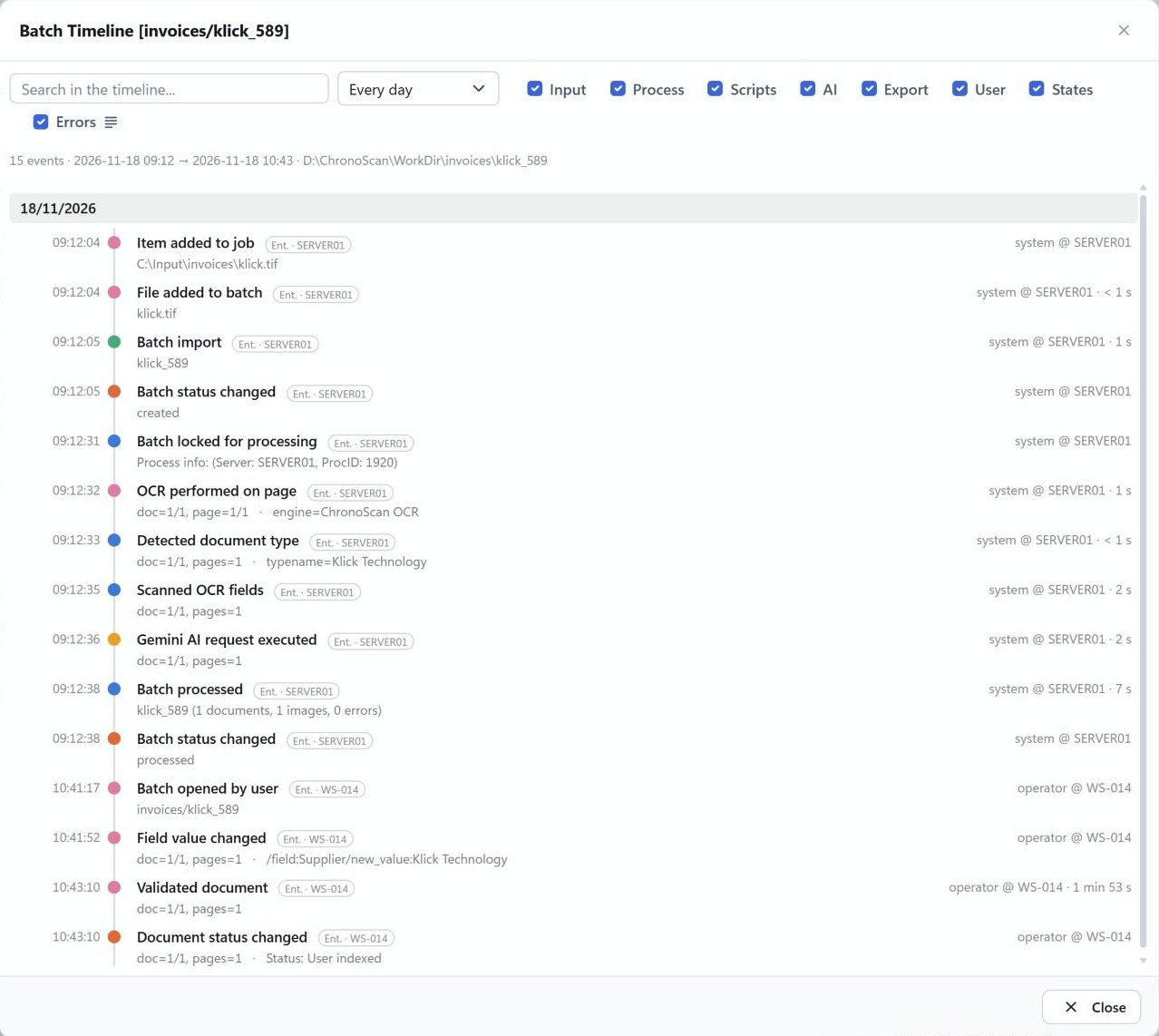
What happened to this batch

Every step of a batch in plain words, from import to validation: who did it, where, and how long it took.

  • Filter by step, user or errors
ChronoScan Enterprise
What happened to this batch
From the History panel
Indexing view

Everything in its place

The document, its fields and the line table, together on one tidy screen.

  • Line icons and a grouped toolbar
  • Green when the batch is ready
ChronoScan Enterprise
Everything in its place
Simplified interface

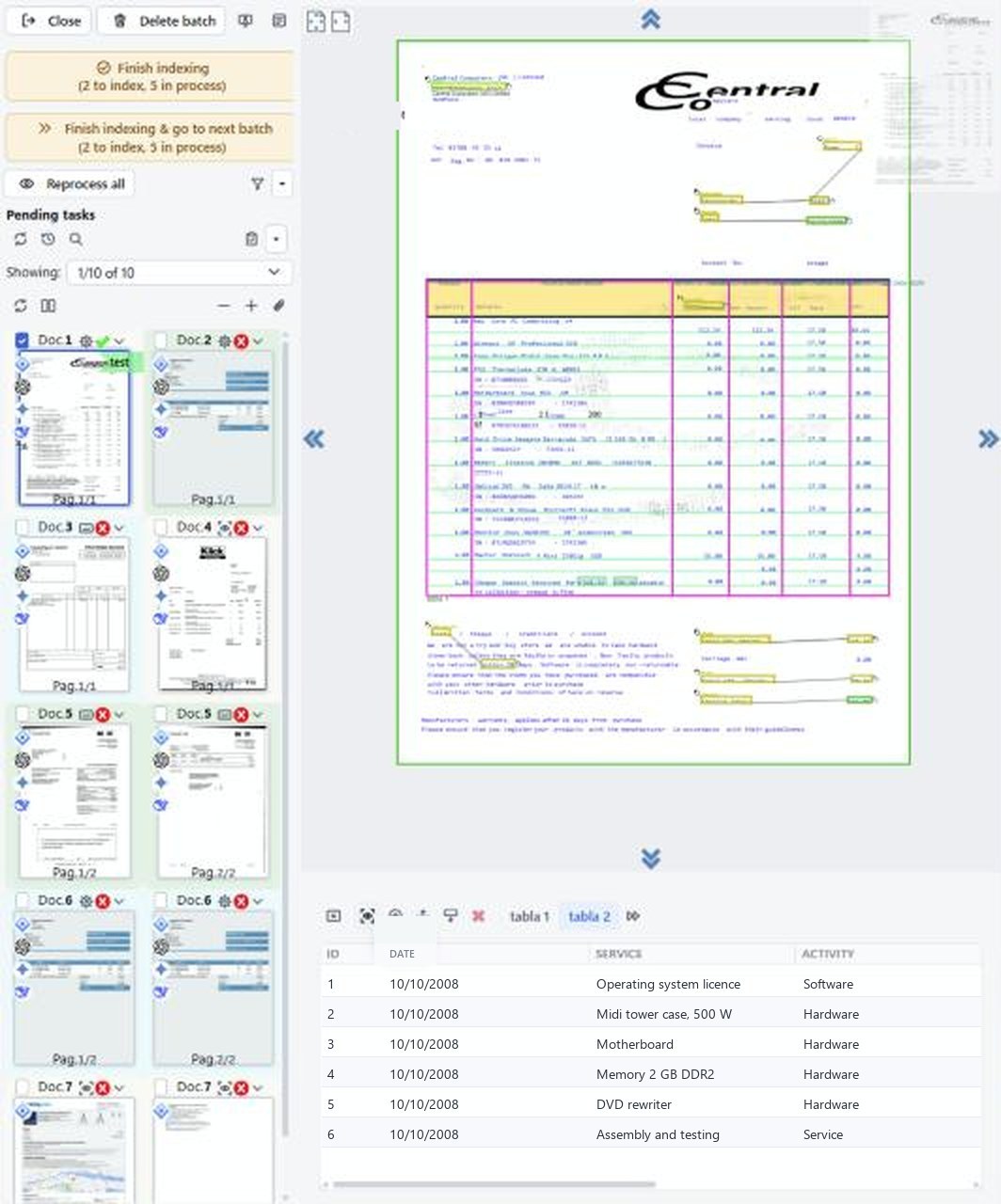
Fewer, larger buttons for operators

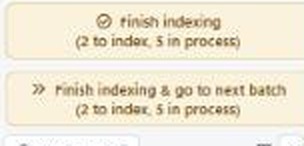
Close, finish, or finish and go to the next batch. The document takes the center of the screen.

  • The finish buttons say what is still pending
ChronoScan Enterprise
Fewer, larger buttons for operators
Finish buttons, magnified
New

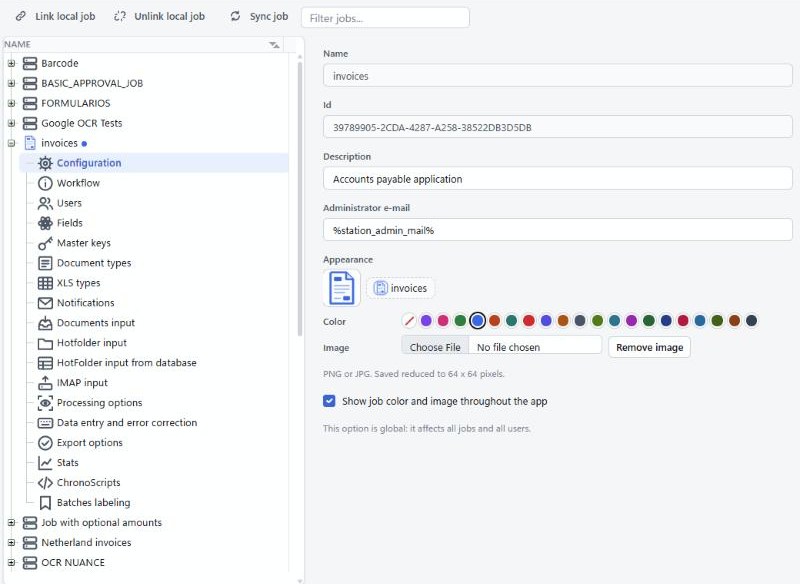
A color and an image for each job

Jobs and users get their own color, and it follows the name across the dashboard, the tables and the reports.

  • Jobs: switched on by an administrator
  • Users: soft-colored chips
ChronoScan Enterprise
A color and an image for each job
User chips
Help where you need it

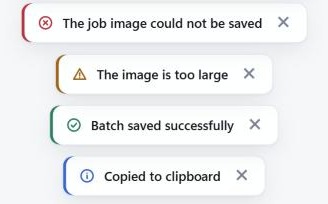
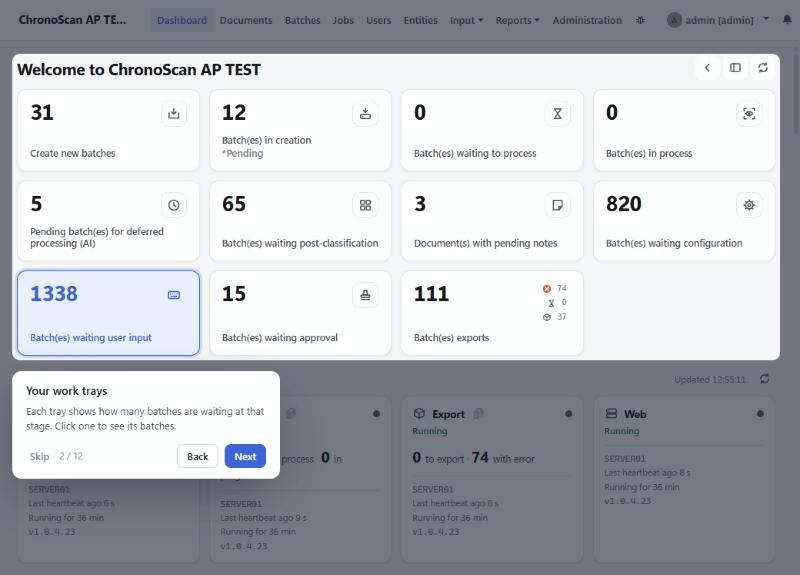
A guided tour, and clearer messages

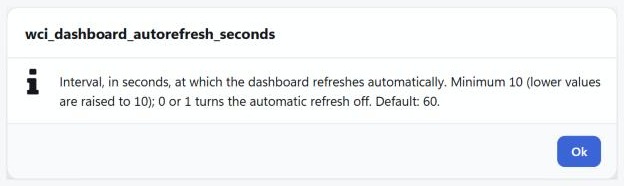
A short tour shows each user what is new, and every system parameter explains itself.

  • Notifications show their type at a glance
ChronoScan Enterprise
A guided tour, and clearer messages
Per user

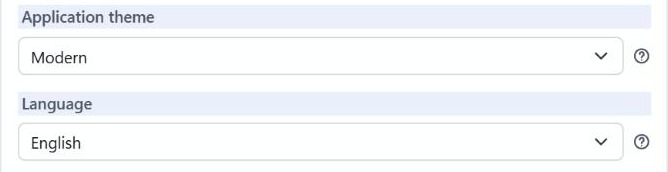
Your theme, your language

Each user picks a theme and a language from the user menu, and can go back to the classic interface at any time.
Pre-release 1.0.4.25 · Beta

Try the new interface

The new interface is in beta in the pre-release 1.0.4.25 (the official release is 1.0.3.84). Ask our support team to try it.

support@chronoscan.org

ChronoScan Enterpriseserver centrale
Postazioni di scansionescanner e multifunzione
Utenti da browserclient web leggero
Client desktopChronoScan Capture
Lavori, lotti e utentiun unico archivio condiviso
OCR ed elaborazioneeseguito sul server
Esportazioneverso i tuoi sistemi
chronoscan.yourcompany.com
BackFiltersNotesHelpReprocess
Pending tasks
Doc. 1 ✔
Doc. 2
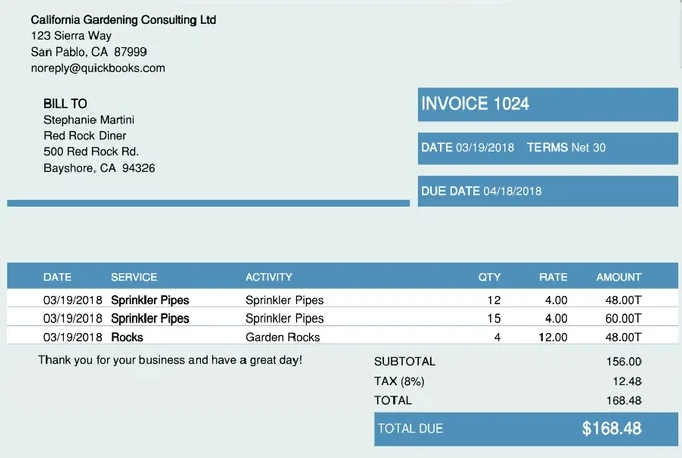
DocumentSupplier
Header
Document type
California Garde...
Supplier
California Garde...
Invoice number
1024
Invoice date
03/19/2018
Due date
04/18/2018
Invoice totals
Net total
156.00
Tax total
12.48
Invoice total
168.48
Currency
USD
Batch 'Invoices_October' of job 'AP JOB (ENG)' - 6 document(s), 8 image(s)
Nel browser
Indicizzazione e validazione
Zone e acquisizione dati
Nessuna installazione sul PC
chronoscan.yourcompany.com
ChronoScan EnterprisePanelDocumentosLotesTrabajosUsuariosEspañol ▾
AtrásFiltrosNotasAyuda
Cabecera
Tipo de documento
California Gardening
Proveedor
California Gardening
Número de factura
1024
Fecha de factura
19/03/2018
Fecha de vencimiento
18/04/2018
Totales de la factura
Base imponible
156,00
Impuestos
12,48
Total factura
168,48
Lote 'Facturas_Octubre' - 6 documento(s), 8 imagen(es)
English
Español
Deutsch
Français
Italiano
Português
Polski
...
Ogni utente nella sua lingua
Cambio al volo
Un server, team misti
Oltre 30 lingue
chronoscan.yourcompany.com
ChronoScan EnterpriseDashboardDocumentsBatchesJobsUsersEntitiesTemplatesReportsadmin
Link local jobSync job Use drag & drop to add users
AP JOB (ENG)
Configuration
Workflow
Users
Fields
Document types
Notifications
Input
Processing options
Export options
Stats
PO JOB
HR FILES
Users that can create batches
AadminEeditorI1Indexer 1
Pre-classification users
O1Operator 1O2Operator 2
Post-classification users
EeditorI1Indexer 1
Document type editors
Eeditor
Manual data entry and error correction users
I1Indexer 1I2Indexer 2O1Operator 1
Document approval
Aadmin
Chi fa cosa
Ruoli per lavoro
Un ruolo per ogni fase del flusso
Fase di approvazione
Dall'ingresso all'esportazione, senza intervento
Ingressocartella · e-mail · scanner
OCRpagina intera e zone
Classificazionetipo di documento
Estrazionecampi e righe
Validazionesolo se necessario
EsportazioneXML · CSV · DMS
  Lotto Invoices_October · 128 documenti118 esportati automaticamente
Attività pianificate Cartelle monitorate Caselle IMAP 10 in attesa di un operatore
Utenti e postazioni di scansione
Server webinterfaccia thin client
Server di elaborazioneOCR ed estrazione dati
Server di automazionecartelle monitorate e attività
Database e archiviazione condivisiun unico sistema ChronoScan Enterprise
Aggiungi server quando cresci
Ridondanza
Coda dei lavori
Invoices_October
Delivery notes 11/17
HR files - scan 3
Purchase orders
Mailroom AM
ChronoScan Enterprisedistribuisce i lavori
Server 164%
Server 258%
Server 361%
Picchi di carico assorbiti
  System events
Batch ready for validation
Invoices_October · 128 documents
09:12
Export finished
Delivery notes 11/17
08:47
Documents need attention
Purchase orders · 4 documents
08:30
New batch received
Mailroom AM · hot folder
08:02
Batch "Invoices_October" is ready for validation
From: ChronoScan Enterprise  ·  To: AP validation team

The batch Invoices_October of job AP JOB (ENG) has finished processing.

118
processed automatically
10
waiting for validation
Open batch
E-mail automatiche
Amministratori e utenti
  invoices@yourcompany.com
Supplier accounts09:10
Invoice 1024 - March
invoice_1024.pdf
Warehouse scanner08:55
Delivery notes
scan_0117.pdf scan_0118.pdf
Customer service08:31
Signed order form
order_form.tif
chronoscan.yourcompany.com
ChronoScan EnterpriseDashboardDocumentsBatchesadmin
BatchSourceDocsStatus
Email - Invoice 1024 - MarchIMAP1Processed
Email - Delivery notesIMAP2Processed
Email - Signed order formIMAP1Processing...
Mailroom AMHot folder42Exported
Invoices_OctoberScanner128Exported
Gli allegati diventano lotti
Invio via e-mail
chronoscan.yourcompany.com
ChronoScan EnterpriseDashboardDocumentsBatchesJobsUsersEntitiesTemplatesReportsadmin
New viewReport 1Report 2
Period
Last 6 months
Jobs
AP JOB (ENG)
PO JOB
HR FILES
Users
All users
Activity
Batches
Documents
UserDateActivityJobSeconds
Indexer 111/17 09:12Document validatedAP JOB (ENG)13
Operator 111/17 09:10Batch createdPO JOB5
editor11/17 09:07Document type changedAP JOB (ENG)70
Indexer 211/17 09:03Document validatedAP JOB (ENG)9
4003002001000JunJulAugSepOctNov Documents processedValidated by usersBatches
Ogni azione misurata
Azioni utente registrate
Tempi di elaborazione
Pronto per la fatturazione
chronoscan.yourcompany.com
BackValidate
Invoice totals
Net total
156.00
Tax total
12.48
Invoice total
168.48
Currency
USD
Totals match the detail lines
IdDetails lineQuantityUnit priceLine total
1Sprinkler Pipes124.0048.00
2Sprinkler Pipes154.0060.00
3Garden Rocks412.0048.00
Tutti gli strumenti, senza plug-in
Visualizza, ingrandisci, ruota
Modifica campi e griglie di righe
Valida nel browser
Il tuo scannerTWAIN, sul PC dell'utente
chronoscan.yourcompany.com
ChronoScan EnterpriseDashboardDocumentsBatchesoperator
Scan to a new batch
ScannerTWAIN document scanner Resolution300 dpi ModeColor, duplex
Scan 3 pages received
ChronoScan Enterpriselotto creato sul server
chronoscan.yourcompany.com
ChronoScan EnterpriseDashboardDocumentsBatchesJobsUsersEntitiesTemplatesReportsadmin
New userEdit userAssign entitiesDelete user
UserTypee-mailActiveEntity
adminadminadmin@yourcompany.com✔All
editoreditoreditor@yourcompany.com✔All
Indexer 1indexerindexer1@yourcompany.com✔Finance
Operator 1operatoroperator1@yourcompany.com✔Mailroom
Operator 2operatoroperator2@yourcompany.com—Mailroom
SessionsRefreshKill sessionSend message
UserStatusIPStarted
Indexer 1/IndexView10.0.4.2111/17 08:02
Operator 1/Dashboard10.0.4.3711/17 08:15
admin/Users10.0.4.211/17 09:01
Accesso sotto controllo
Tipi di utente e ruoli
Accesso per entità e lavoro
Sessioni attive

Architettura client/server: centralizza la potenza di elaborazione riducendo i costi di amministrazione IT.

Interfaccia thin client: acquisizione ed estrazione dati potenti senza applicazioni desktop pesanti.

Interfaccia multilingue: cambia lingua al volo per gli utenti internazionali.

Ruoli utente: controllo totale sulle capacità e sui ruoli degli utenti nel sistema.

Flusso di lavoro automatizzato: automatizza ingresso, elaborazione e uscita dall'inizio alla fine.

Più server: distribuisci i servizi su server distinti per maggiore ridondanza e scalabilità.

Bilanciamento del carico tra server: distribuisci i job su più server per gestire i picchi di lavoro.

Motore di notifiche: tieni tutti informati sui processi del sistema con notifiche automatiche.

Client IMAP: consente a utenti e clienti di inviare documenti direttamente via e-mail.

Registrazione e statistiche: registra le azioni degli utenti e i tempi di elaborazione per analisi statistiche o fatturazione.

Modifica rapida nel browser: strumenti completi di visualizzazione, modifica e validazione nel browser.

Client di scansione cloud: scansiona direttamente in ChronoScan senza software aggiuntivo.

Sicurezza: controlla l'accesso a documenti e dati con potenti controlli basati sui ruoli utente.

Software aziendale di OCR e scansione

ChronoScan Enterprise è un software server OCR per i team. OCR, lettura dei codici a barre ed estrazione dei dati vengono eseguiti centralmente sui tuoi server, mentre gli utenti scansionano, validano e indicizzano i documenti dal browser senza installare nulla su ogni PC.

I documenti arrivano da scanner, multifunzione, cartelle monitorate ed e-mail, seguono un flusso di lavoro con ruoli utente e possono essere distribuiti su più server quando il volume cresce. Vedi le licenze Enterprise.