To properly display this page you need a browser with JavaScript support.
Menu
Search
Search
Search
Users Guide (Operators)
Dashboard
← Previous page
Next page →
Print version
To properly display this page you need a browser with JavaScript support.
Dashboard
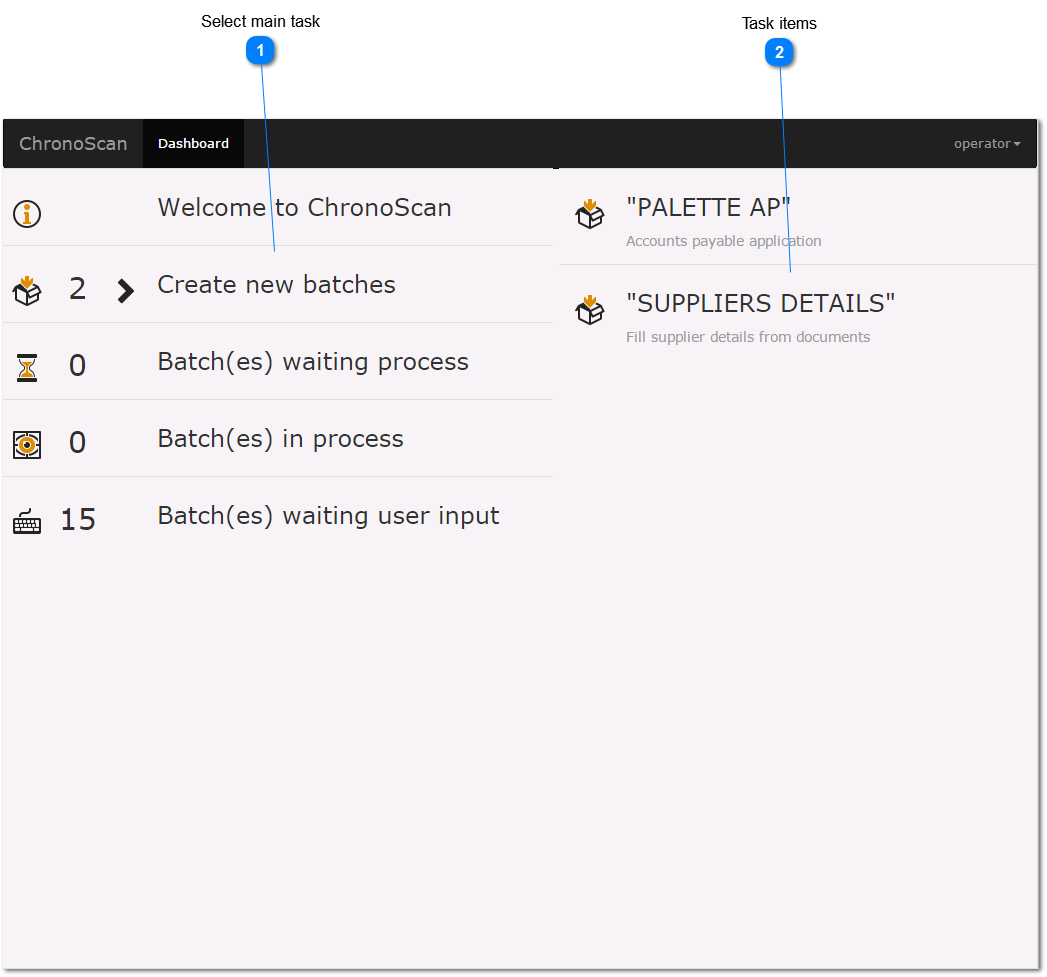
The Dashboard is the main entry point to the application, from the dashboard operators and editors can select and execute tasks, like batch creation or correction.
Main tasks
Create new batches
Batch(es) waiting user input
Select main task
Select one of the user task, then the right panel will be filled with different options.
Top
Task items
Inside of each of the different task user will find individual taks items. Click on the taks item to open the element.
Top