8.1.1. Saved Document Views in Dashboard
Since version 1.0.3.87
Saved document views from the Documents section can now be listed and accessed directly from the Dashboard.
Documents panel
To use this feature, you must first create and save at least one view in the Documents panel.
You can create custom views (including filtered views) using the Options menu:
-
Select columns
-
Sort columns
-
Default filters
Views are created and stored per job in this section.
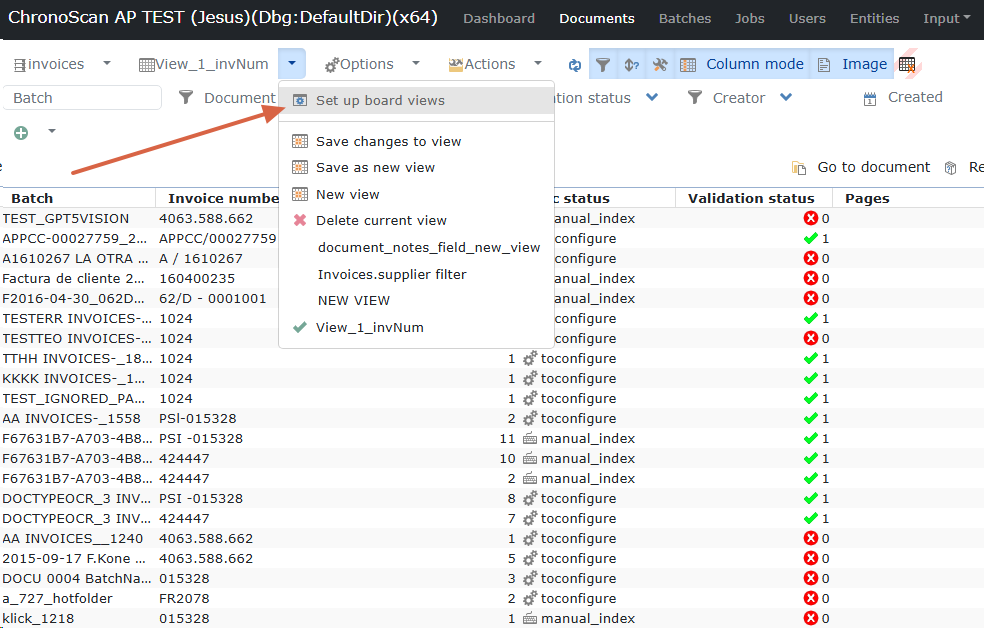
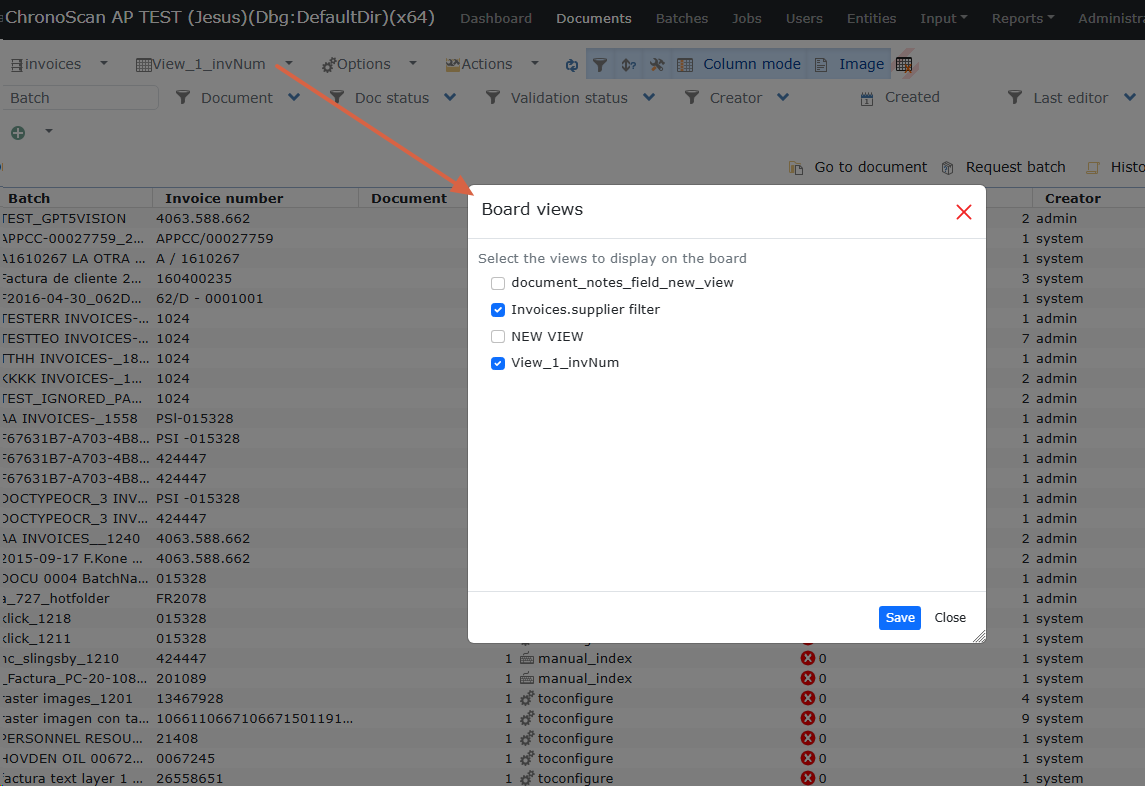
Once one or more views are available, they can be enabled for Dashboard by using the Views menu option: “Set up board views”.
Dashboard
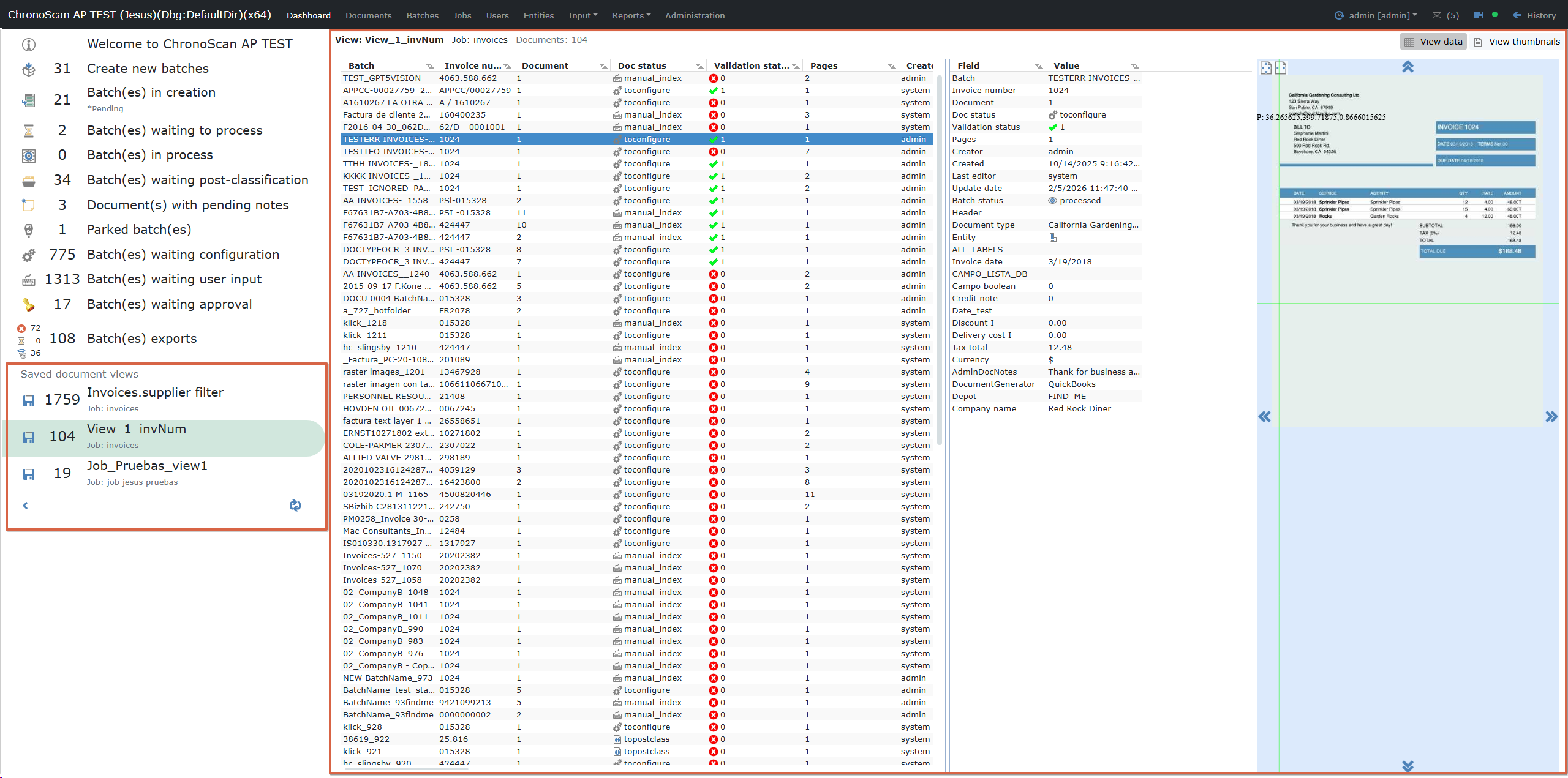
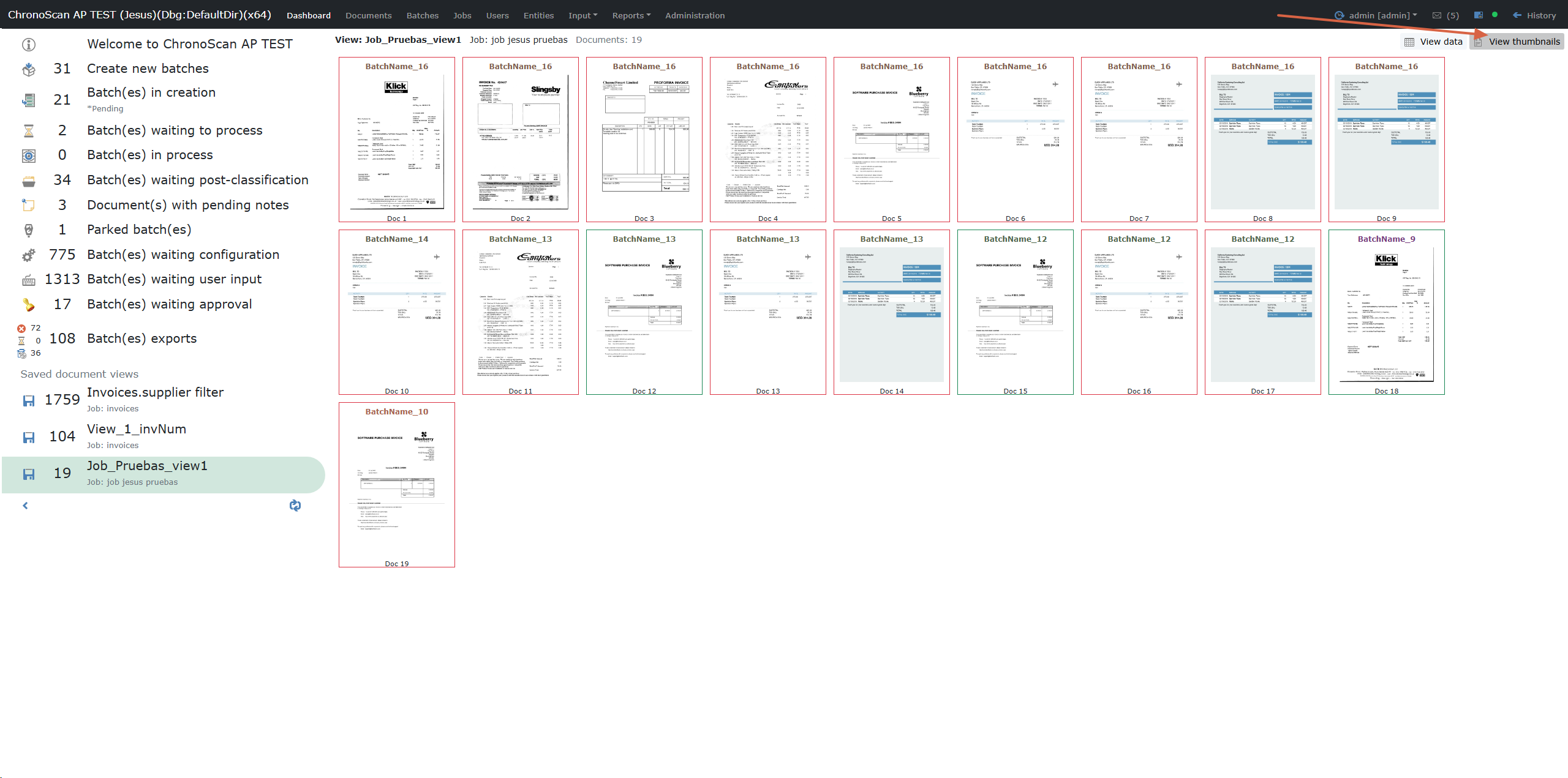
Enabled saved views are displayed in the left menu under Saved document views and can be selected directly.
When a saved view is selected, the document list is loaded using the same configuration defined in Documents (columns/order/filters).
Two display modes are available:
-
Data view: document table + field/value details + preview panel
-
Thumbnails view: responsive image grid with validation state highlight