Input Panel

 
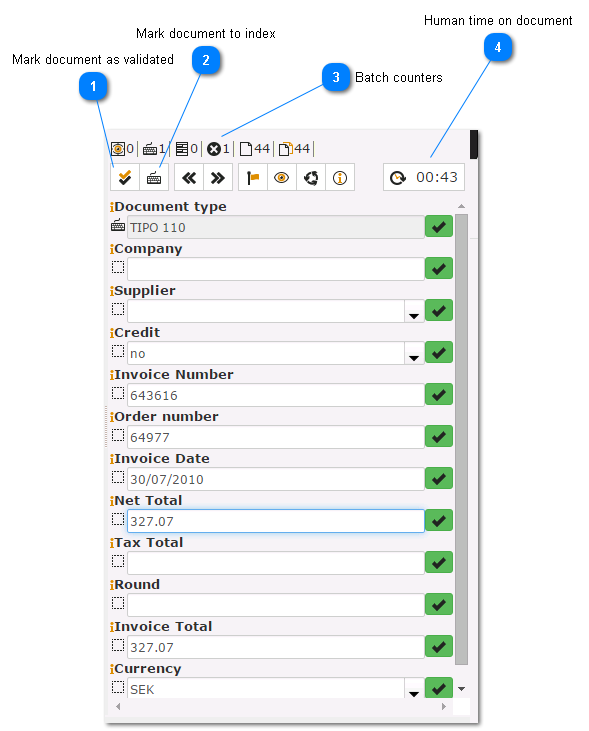
The input panel allows to edit/correct document data:
 
Input Panel


Calculated fields:

 
You can enter simple formulas to calculate field values.

 
 
1

Mark document as validated

1. Mark document as validated
Set document status to validated.
2

Mark document to index

2. Mark document to index
Mark a document to be reviewed by an human operator.
3

Batch counters

3. Batch counters
From left to right:
  • Number of documents that needs processing.
  • Number of document that needs user indexing.
  • Number of validated documents
  • Number of documents with errors
  • Total documents
  • Total pages
4

Human time on document

4. Human time on document
A clock to count time inverted in correct/index the document.
